
Guests see your tip and review page at the end of the tour, when they tap your guide’s card or scan the QR code. Now you can make that page look like the rest of your brand without a designer. Enter your website address in Setup, and about a minute later you have a draft page with your logo, your colours, a header and footer drawn for your brand, and a headline. Check it in the live preview, change anything you like and save it when you’re happy.

What It Builds
Give it your website address and Setup puts together everything at the top and bottom of your guest page:
- Your logo, taken from your site’s header, not from a partner or review badge further down the page.
- Your colours, from the colours your site is built in. A light site keeps its own background, and a dark site keeps its dark look with light text.
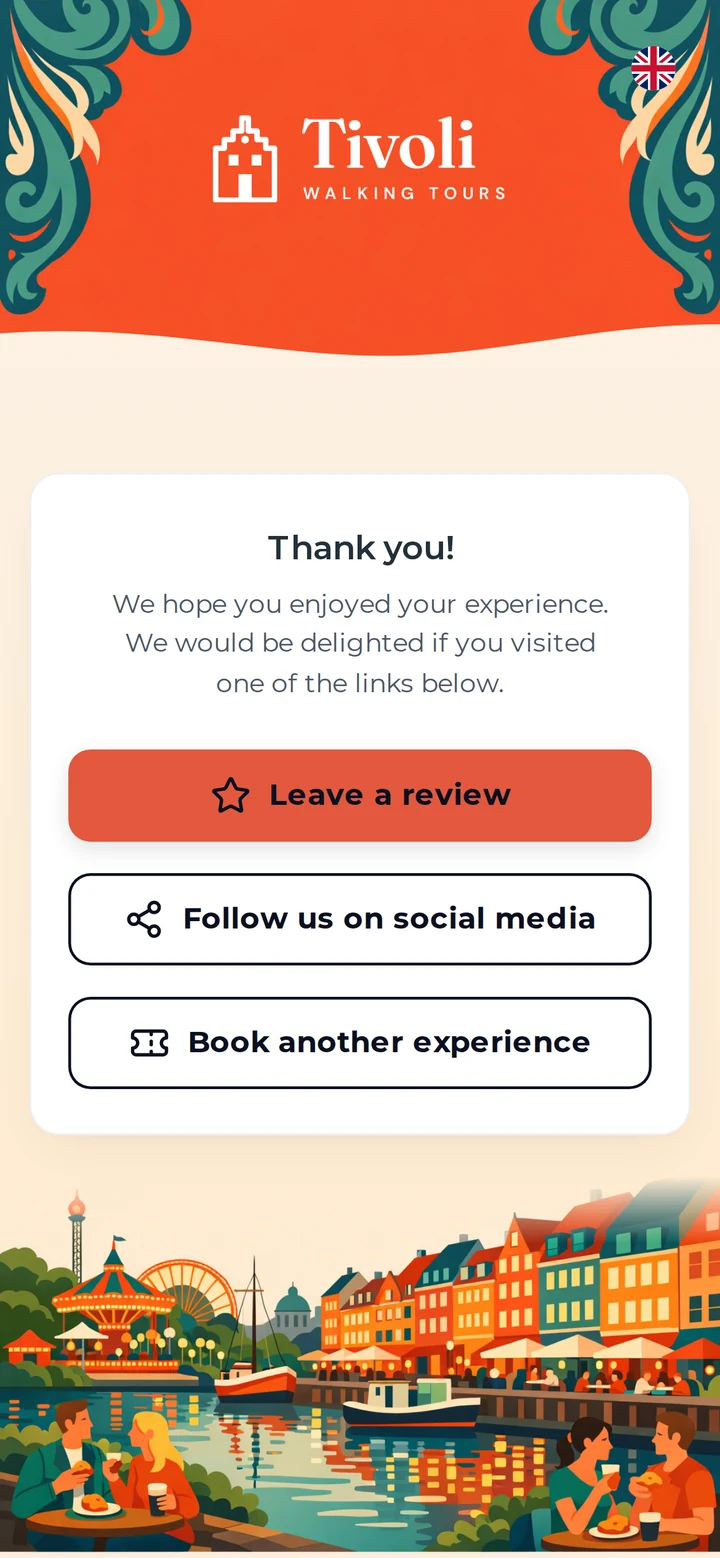
- A header and footer drawn for your brand. In the illustration style, the header frames your logo in one of your brand colours, edged with a pattern from the plants or buildings of the places your tours visit. The footer is a postcard of those places, and the page runs into its sky. Prefer photographs? Choose the photo style instead.
- A headline and a short line of text for the top of the page, written for you and easy to change.
How It Works
- In Setup, open Branding and type your website address.
- If you’d like something particular in the pictures, add a line, such as your yellow bikes or the river at night. This is optional, and the pictures never contain text.
- Press Build my whole page. It takes about a minute.
- Look over the result in the live preview, change anything you want, then press Save Branding.

Nothing Changes Until You Save
Building gives you a draft. Your guests keep seeing your current page until you press Save Branding, so you can try it and keep what you already have if you prefer. Every part of the result stays editable: the company name, headline, text, colours and images. You can upload your own header and footer, switch style or build the page again.
Every Screen Matches
Once saved, the new look runs through the guest’s visit: the tip screen, the thank-you menu, where the first option is filled in your main colour and the others are outlined, and the review screens. On phones, the browser bar takes the colour of your header. Payment links keep their usual look.
Prefer Us to Do It?
Send us your website address and our team can build the page for you, show you the result and save it once you’re happy with it.
Frequently Asked Questions
Your logo, your brand colours and your page background. If you haven’t added tours to TripAdmit yet, it also reads what your home page says about your tours, so the artwork shows the right places. The pictures are drawn new for you, so no photos are copied from your site.
No. Building gives you a draft in Setup, shown in the live preview. Your guests only see it after you press Save Branding.
A dark site keeps its dark look: the page uses your site’s background with light text, and the footer’s sky is drawn as an evening sky in that colour. A light site keeps its own background.
No. Use your own website’s address. Tripadvisor and Viator listings can’t be used.
Read more on our Branded Guest Pages page, or book a demo and we’ll walk you through it.